Best Offline PDF Repair Tool Free — Fix Corrupted PDFs (2026)
📑 Table of Contents
A corrupted PDF is every professional’s nightmare. You double-click a file and get “There was an error opening this document” or “The file is damaged and could not be repaired.” But don’t panic — most corrupted PDFs can be fixed offline without uploading your sensitive files anywhere.
Common PDF Corruption Issues
Understanding what went wrong helps you choose the right repair tool:
- Header corruption — the PDF magic bytes (%) are missing or damaged. The file isn’t recognized as a PDF at all.
- Broken cross-reference (xref) table — the index that maps byte offsets to objects is damaged. Pages may be missing or out of order.
- Missing end-of-file marker — the file was truncated during download or transfer. Some pages may be recoverable.
- Object stream corruption — compressed object streams are damaged. Content may be garbled.
- Encryption wrapper damage — the password protection layer is corrupted but the content is intact.
About 80% of corrupted PDFs have xref table issues, which are the easiest to fix.
Top 5 Free Offline PDF Repair Tools
| Tool | Platforms | Header Fix | Xref Rebuild | Content Recovery | Free Tier |
|---|---|---|---|---|---|
| PDFgear | Win / Mac | Yes | Yes | Partial | Unlimited |
| qpdf | Win / Mac / Linux | No | Yes | Yes | Unlimited (open source) |
| mutool (MuPDF) | Win / Mac / Linux | Yes | Yes | Partial | Unlimited (open source) |
| PDF24 Creator | Windows | Yes | Yes | Limited | Unlimited |
| Ghostscript | Win / Mac / Linux | No | Yes | Yes | Unlimited (open source) |
#1 Pick: PDFgear — Best GUI Repair Tool
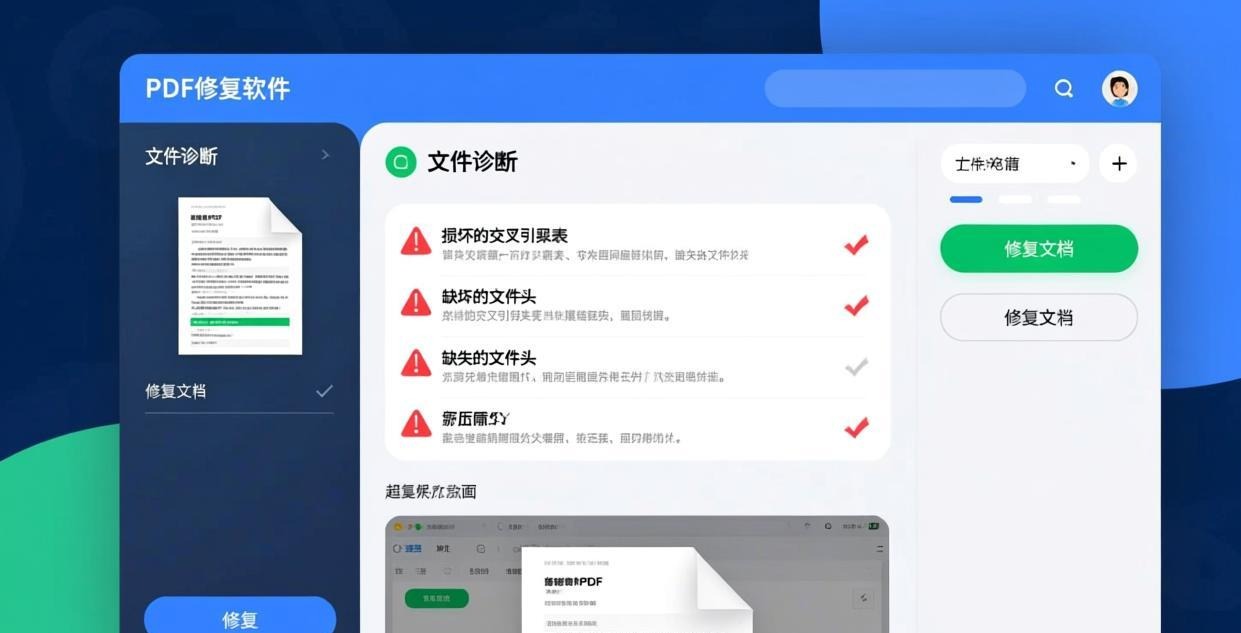
PDFgear has a built-in “Repair PDF” feature that handles the most common corruption issues automatically.
Step-by-step:
- Open PDFgear
- Click “Tool” → “Repair PDF”
- Drag in your corrupted PDF
- PDFgear analyzes the file and attempts repair
- Preview the repaired file to verify content
- Click “Save” to save the repaired PDF
PDFgear can fix:
- Broken cross-reference tables
- Missing or damaged file headers
- Truncated files (recovers readable pages)
- Object reference errors
- Minor encryption wrapper issues
For more PDFgear capabilities, see our Best Free Offline PDF Editor for PC guide.
#2 Pick: qpdf — Best Command-Line Repair
qpdf is the most reliable tool for rebuilding corrupted PDF structure. It doesn’t try to recover content — instead, it rebuilds the PDF’s internal structure so that valid content becomes accessible again.
Basic repair:
qpdf input.pdf output.pdf
Yes, simply running qpdf on a corrupted file often fixes it. qpdf automatically:
- Rebuilds the cross-reference table
- Linearizes the file for better performance
- Removes damaged objects
- Normalizes the PDF structure
Advanced repair:
qpdf --qdf --object-streams=disable input.pdf output.pdf
The --qdf flag produces a “QDF” (Q PDF) file — a normalized, human-readable PDF format. The --object-streams=disable flag decompresses all objects, making it easier to identify and fix problems manually.
When qpdf can’t repair:
- File header is completely missing
- Content streams are damaged beyond recognition
- The file is encrypted with a lost password
#3 Pick: Ghostscript — Content Recovery
Ghostscript can repair PDFs by re-rendering them. This approach works when the structure is damaged but the content streams are intact.
Repair with Ghostscript:
gswin64c -sDEVICE=pdfwrite -dNOPAUSE -dQUIET -dBATCH \
  -sOutputFile=repaired.pdf corrupted.pdf
Ghostscript reads the corrupted PDF, interprets its contents, and writes a new clean PDF. This effectively:
- Creates a new PDF structure from scratch
- Preserves all readable content
- Removes damaged or unreadable objects
- Re-encodes everything properly
Limitations:
- Interactive form fields may be lost
- JavaScript and embedded multimedia are removed
- Some metadata is not preserved
- Bookmarks may be lost
For password-related issues, see our Best Offline PDF Password Remover guide.
When Repair Tools Fail
Not all corrupted PDFs can be repaired. Here are the scenarios where recovery is impossible:
- Zero-byte files — there’s literally nothing to recover
- Overwritten files — if new data was written over the PDF, the original content is gone
- Severely corrupted content streams — if the actual page content (text, images) is damaged, no repair tool can recreate it
- DRM-protected files — some DRM schemes corrupt the file intentionally if tampered with
What to try when tools fail:
- Try a different PDF reader — sometimes the file works in one reader but not another
- Open in a text editor — check if the PDF header (%) is present and the file starts correctly
- Check file size — a PDF that should be 5MB but shows 0KB is likely unrecoverable
- Restore from backup — check your cloud storage, email sent items, or version history
For redacting sensitive content before sharing, see our Best Offline PDF Redaction Software guide.
Frequently Asked Questions
Can a corrupted PDF be repaired?
About 80-90% of corrupted PDFs can be repaired. The most common issue (broken xref table) is easily fixed by qpdf or PDFgear. Severely damaged content streams are harder or impossible to recover.
Why is my PDF showing “file is damaged”?
The most common cause is an interrupted download or transfer. The file was partially written and the end-of-file marker is missing. Other causes include disk errors, software crashes during save, and incompatible PDF versions.
How do I fix a PDF that won’t open?
Try these steps in order: (1) Open in a different PDF reader (try PDFgear, Sumatra PDF, or browser). (2) Run qpdf on the file. (3) Try Ghostscript re-rendering. (4) If the file was downloaded, re-download it. (5) Check if the file is actually a PDF (open in a text editor and look for %PDF at the start).
Can I repair a PDF without software?
Not really. PDF repair requires understanding the file’s internal structure. However, you can try opening the file in a web browser (Chrome, Firefox) — they have built-in PDF viewers that are sometimes more tolerant of corruption.
Will repairing a PDF lose content?
It depends on the type of damage. If only the structure (xref table) is damaged, all content is preserved. If content streams are damaged, the readable portions are kept but damaged portions may be lost. Ghostscript re-rendering preserves visual content but may lose interactive features.
How do I prevent PDF corruption?
Save files completely before closing. Don’t force-close PDF editors. Keep backups of important documents. Use reliable storage (avoid failing hard drives). Verify downloads with file size checks. Enable auto-save in your PDF editor.
📖 Recommended Reading
Best Offline PDF Metadata Editor & Remover Free (2026)
5 free offline PDF metadata tools. Edit, view, or strip metadata for privacy.
How to Check PDF Security & Permissions Offline (2026)
Inspect PDF encryption, permissions, and metadata offline. Free security audit tools.
Best Offline PDF Comparison Tool Desktop Free (2026)
5 free offline PDF comparison tools. Find text and visual differences between documents.