Best Offline PDF Page Number Adder Desktop Free (2026)

📑 Table of Contents
Page numbers are essential for any document that people will reference, discuss, or cite. But many PDFs — especially scanned documents and exported files — don’t have them. Adding page numbers offline is quick and easy with these free desktop tools.
Why Add Page Numbers to PDFs
- Reference and citation — “See page 14” is clearer than “See the third section”
- Meeting discussions — “Let’s look at page 7” keeps everyone on the same page
- Legal documents — page numbering is required for court filings
- Printed copies — page numbers help readers navigate physical documents
- Version control — numbered pages make it easy to verify completeness
Top 4 Free Offline PDF Page Number Tools
| Tool | Platforms | Position Control | Format Options | Starting Number | Free Tier |
|---|---|---|---|---|---|
| PDFgear | Win / Mac | 6 positions | Full (font, size, color) | Custom | Unlimited |
| PDF24 Creator | Windows | 6 positions | Full | Custom | Unlimited |
| Sejda Desktop | Win / Mac / Linux | 6 positions | Full | Custom | 3 tasks/day |
| Ghostscript + script | Win / Mac / Linux | Full (coordinates) | Full (PostScript) | Custom | Unlimited (open source) |
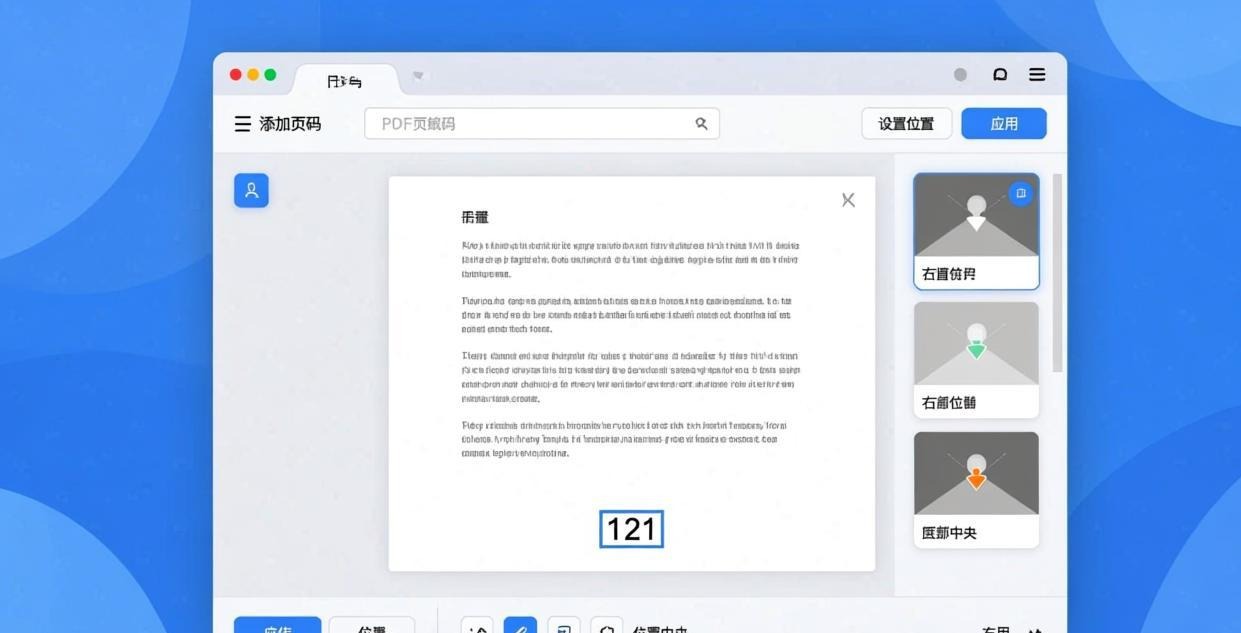
#1 Pick: PDFgear — Best Page Number Tool
PDFgear provides a dedicated page numbering feature with a live preview and comprehensive formatting options.
Step-by-step:
- Open the PDF in PDFgear
- Click “Edit” → “Page Numbers”
- Configure numbering settings:
- Position — top-left, top-center, top-right, bottom-left, bottom-center, bottom-right
- Format — “1”, “Page 1”, “1 of 10”, “Page 1 of 10”, “- 1 -”, or custom
- Font — choose font family, size, and color
- Starting number — begin from any number (useful for documents that start with Roman numerals)
- Page range — apply to all pages or a specific range
- Margins — adjust distance from the page edge
- Preview the result on a sample page
- Click “Apply” to add page numbers
- Save the numbered PDF
Advanced options:
- Skip first page — common for title pages
- Different first page — use Roman numerals on front matter, Arabic on body
- Even/odd page differences — position numbers on the outside edge for duplex printing
For more PDF editing features, see our Best Free Offline PDF Editor for PC guide.
#2 Pick: PDF24 Creator — Flexible Numbering
PDF24 Creator offers similar page numbering features with additional margin control.
Step-by-step:
- Open PDF24 Creator and load your PDF
- Click “Add page numbers”
- Choose position (header or footer, left/center/right)
- Set format: page number only, “Page X”, “X of Y”, or custom text
- Configure font, size, and color
- Set starting number and page range
- Adjust horizontal and vertical margins (in mm)
- Click Apply and save
PDF24’s margin controls are more precise than most tools — you can set exact measurements in millimeters for consistent positioning.
#3 Pick: Ghostscript — Command-Line Numbering
For automated workflows, Ghostscript can add page numbers using a PostScript overlay. This is the most technical option but also the most flexible.
Basic page numbering script:
Create a file called number.ps:
%!PS
/Font /Helvetica findfont 10 scalefont def
/pagenum {
  Font setfont
  (Page ) show
  pagenumber 1 add 10 string cvs show
} def
Then apply with Ghostscript:
gswin64c -sDEVICE=pdfwrite -dNOPAUSE -dQUIET -dBATCH \
  -sOutputFile=numbered.pdf original.pdf
For most users, PDFgear or PDF24 is much easier. Ghostscript numbering is best for automated pipelines.
Page Number Format Options
| Format | Example | Use Case |
|---|---|---|
| Simple number | 1, 2, 3 | Standard documents |
| “Page X” | Page 1, Page 2 | Formal reports |
| “X of Y” | 1 of 15, 2 of 15 | Total page count |
| “- X -” | - 1 -, - 2 - | Elegant style |
| Roman numerals | i, ii, iii | Front matter |
| Custom prefix | A-1, A-2, A-3 | Appendix sections |
For reordering pages before numbering, see our Best Tool to Reorder PDF Pages Offline guide.
Frequently Asked Questions
Can I add page numbers without affecting the original content?
Yes. Page numbers are added as a separate layer on top of the existing content. They don’t modify or replace any text or images on the page. However, they may overlap with existing header/footer content if positioned in the same area.
How do I start page numbers from a number other than 1?
In PDFgear’s Page Numbers settings, change the “Starting number” field. This is useful for documents with unnumbered front matter (set starting number to 1 for the first body page) or for continuing pagination from a previous document.
Can I use Roman numerals for front matter?
PDFgear supports different numbering formats for different page ranges. Set pages 1-5 to use Roman numerals (i-v) and pages 6+ to use Arabic numbers (1, 2, 3). Some tools require you to split the document, number each part, and merge them back.
How do I remove existing page numbers from a PDF?
If the page numbers are part of the original PDF content (not a separate layer), you’ll need to redact or edit them out. Use PDFgear’s redact tool to cover the old numbers, then add new ones. For more on redaction, see our Best Offline PDF Redaction Software guide.
Can I add page numbers to a scanned PDF?
Yes. Page numbers are added as text overlays regardless of whether the PDF content is text or images. The numbers appear on top of the scanned page images.
How do I add different headers for odd and even pages?
PDFgear supports different positioning for odd and even pages — place numbers on the left for even pages and right for odd pages (or vice versa). This is the standard format for bound documents and duplex printing.
📖 Recommended Reading
Best Offline PDF Compressor for Windows (2026)
6 free offline PDF compressors tested. Reduce file size up to 80% without uploading.
Best Free PDF Merge & Split Software Offline (2026)
6 free offline PDF merge & split tools tested. No limits, no watermarks, no upload.
Best Free PDF Form Filler Offline Desktop (2026)
5 free offline PDF form fillers. Complete interactive forms without uploading.